

The user KYC API must be enabled for your project. If calls return
"project not configured to support the users KYC endpoints", contact sales to enable it.Register and Verify the User
Each call uses auserId: locator, where <USER_ID> is a unique identifier you choose for the user and reuse across the calls below.
1
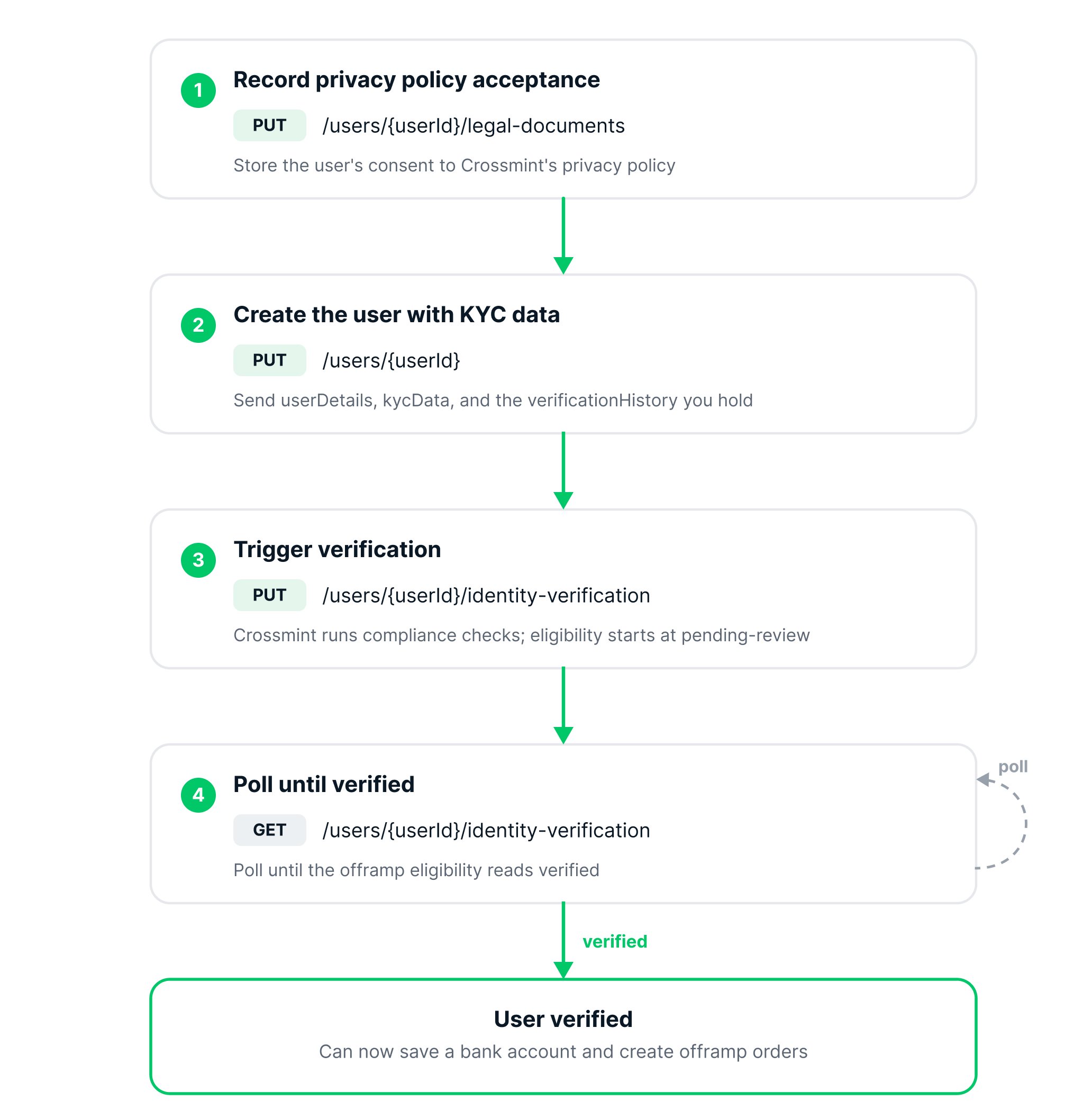
Record privacy policy acceptance
Before sharing any user KYC data with Crossmint, the user must accept Crossmint’s Privacy Policy in your app. Consent must be collected with an explicit checkbox and specific wording — see Register User Data for the exact consent-collection requirements. Only once the user has accepted, record their consent:
Example response
Example response
2
Create the user with KYC data
Send the user’s details along with the KYC data you already hold.The booleans in the response show which sections were stored.
US residents: include
kycData.phoneNumber (required), and provide identity via SSN in kycData.identityDocument (no document upload is needed for standard offramp). The dueDiligence object is not required for standard US offramp in most states — include it only where required (see Data Requirements).Example response
Example response
3
Trigger verification
Trigger verification so Crossmint runs its compliance checks against the data you provided.The response returns the eligibility status per product, starting at
pending-review.Example response
Example response
4
Poll until verified
Verification is asynchronous. Poll until the
offramp eligibility reads verified. Only a verified user can save a payment method or create an order.If the status reads requires-data with a document listed in missingDocuments, Crossmint’s compliance team has requested an additional document — upload it via the Upload Document API and re-trigger verification. See additional document requests.Example response
Example response
The account holder name on the user’s saved bank account must match this verified identity. Offramp supports first-party payouts only.
Next Steps
Manage Payment Methods
Save the verified user’s bank account
Quickstart
Build the full flow